
An aviation market intelligence app, built in an evening
 Rafael
Every industrial company has someone whose morning starts with the news. A strategy team wants to know which competitor won which order. An asset manager wants to know which fleets or plants are being retired. A supplier's sales leads want to know which program just slipped. The person who answers them skims dozens of newsrooms, trade titles and regulator pages, sees the same press release three times, and writes a brief and a slide deck by hand.
We wanted to know how long it takes to build the thing that does the reading and the first draft. We tried it on aviation news, on Curiosity Studio, with a coding agent (Claude Code) doing the building.
First commit: 21:56 UTC. Last commit of the night: 02:43, with the application ingesting the real feeds, linking entities and rendering reports. The next morning, one more hour to deploy it to a hosted workspace. The whole project is public at curiosity-ai/aviation-intelligence-demo.
One question for an aviation analyst: what changed today?
The application answers one question for an aviation market analyst, every day and every week: what changed in commercial aviation and aerospace, and what does it mean for us?
It reads from a directory of 248 real RSS feeds in 15 categories: airline and manufacturer newsrooms, trade titles, regulators, airports, MRO, leasing, defense and space. Each row says what the feed is for, how far to trust it (Core, Secondary, Low frequency) and whether its articles can be read in full or only as a teaser. An analyst curated that directory before we started.
From there the application:
- fetches every feed and reads each new article in full where the publisher allows it, recording when it could only use the feed's summary;
- finds the companies, aircraft types, engines, launch vehicles and airports each article mentions;
- shows the news desk on a home page, where every number opens the articles it counted;
- writes a daily brief and a weekly report, each published as an HTML page and a PowerPoint deck, with every item linked to the article it came from.
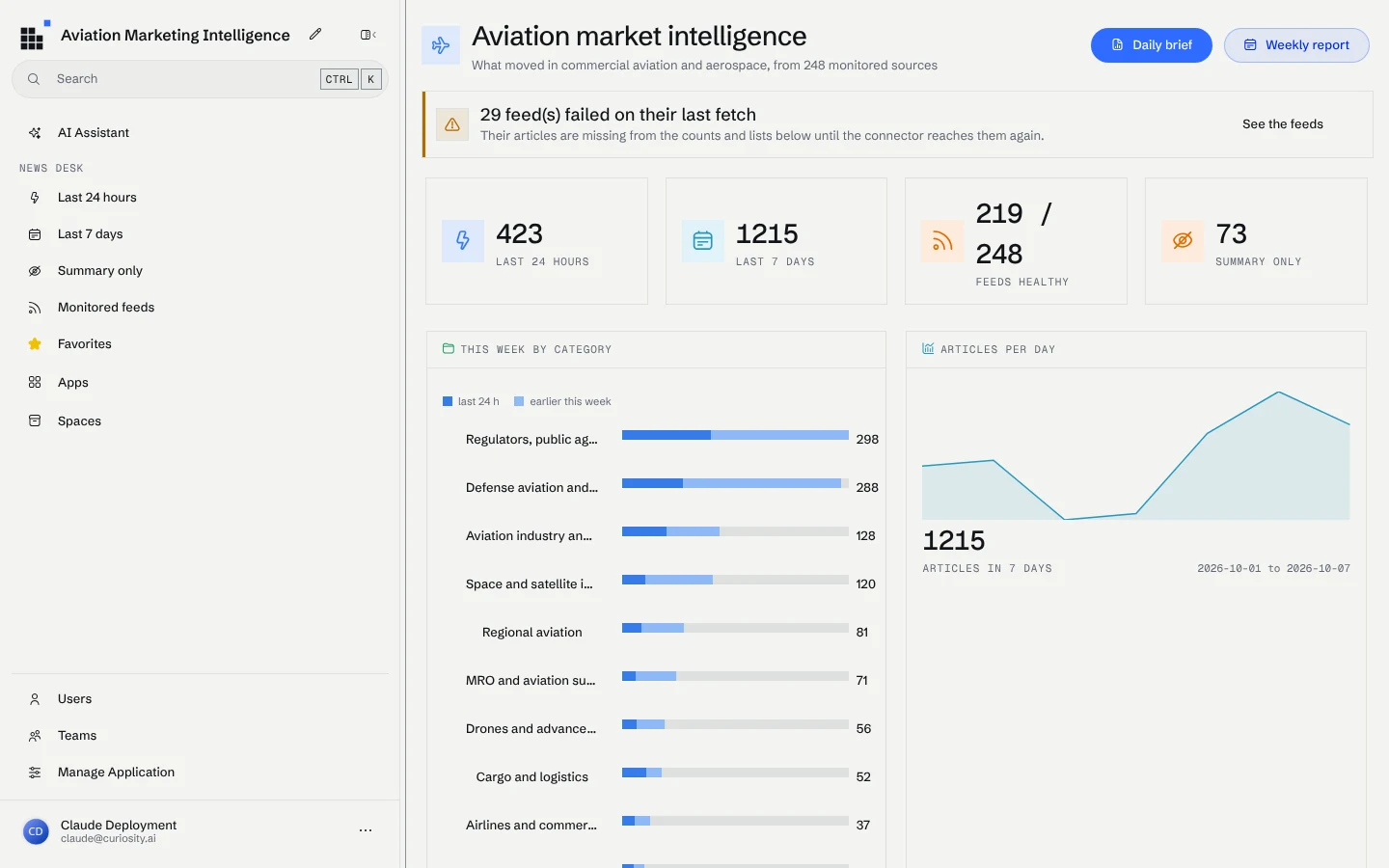
From 248 feeds to a graph of companies and aircraft
The connector is a .NET console application. It fetches every feed, groups items by their canonical URL so a press release carried by four titles is one article, loads each new page in headless Chromium and extracts the text with Readability. It writes only what the sources state: the feed, the publisher, the category, the publisher's own tags. On its full run 234 of the 248 feeds answered, and of 1,524 articles from the last 14 days, 1,276 were read from the page, 97 were probably a paywall teaser, 71 came from the feed's own full text and 80 had only a summary.
What an article is about is left to the workspace, because a demo that copies the answer in from the feed proves nothing. The connector loads five vocabularies generated from Wikidata and OurAirports (2,073 organizations, 1,285 aircraft types, 594 engine types, 251 launch vehicles and 1,151 airports), with every term that should match as an alias. The workspace builds a spotter from each and links every article's title and body to the entities it finds. Boeing is mentioned in 130 articles, Airbus in 81, NASA in 157. Getting those numbers right took most of the second half of the evening: "Falcon" is a rocket and a business jet, "Emirates" is an airline and a country, "LEAP" is an engine and a verb, and each false match was fixed by changing the rule that produced it, not the entry.
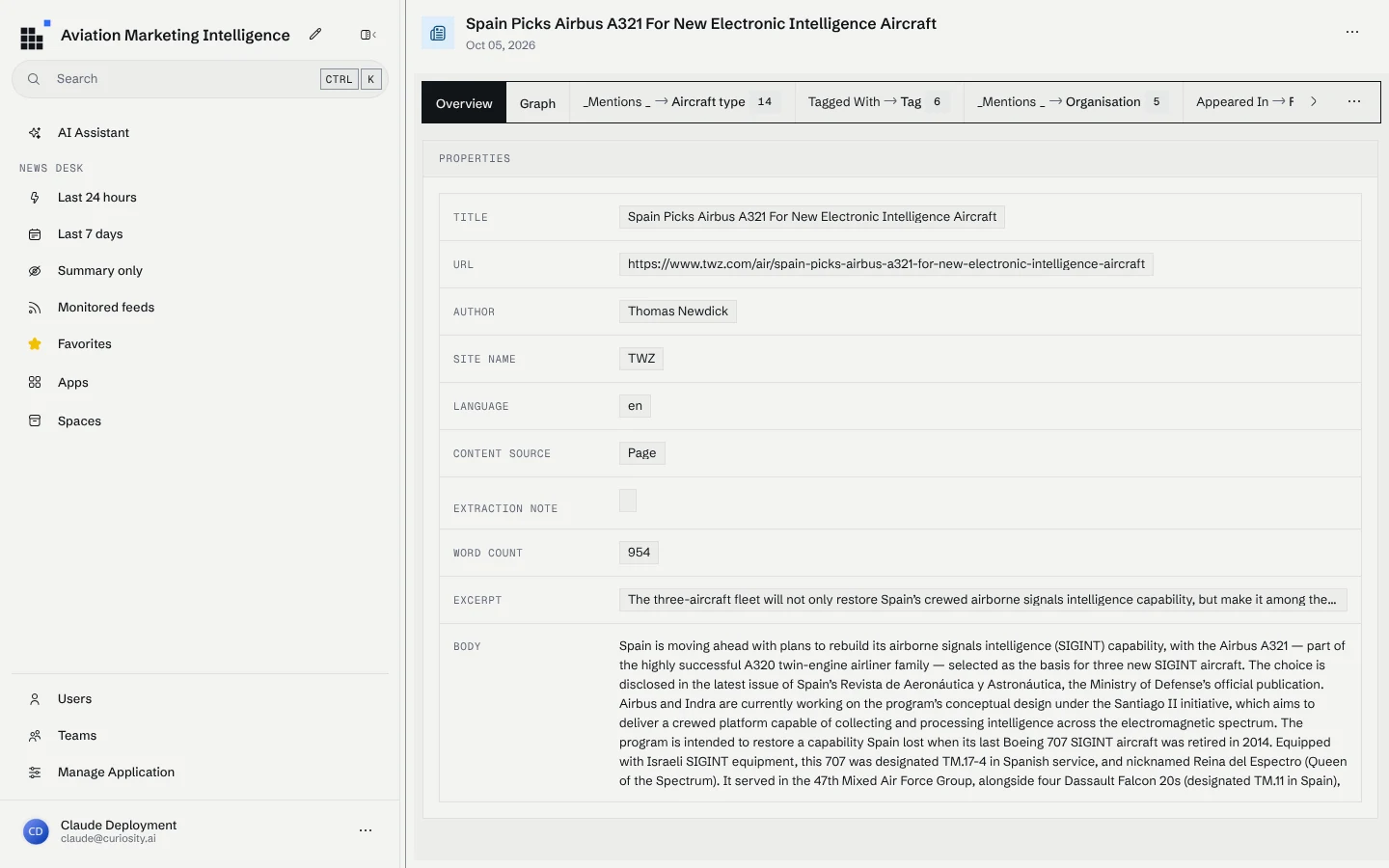
The front end is C# compiled to JavaScript with Transpose and built from Tesserae components. It replaces the workspace's home page with the news desk, lists the feeds with their health, renders every node type, and pins the chat to the market intelligence assistant. Companies and airports the assistant names are matched against the same vocabularies and shown as links.
The assistant, its report skill and the news desk sandbox
The AI layer is four files of workspace configuration. The assistant is a system prompt plus the tools, agent and skill it may use. This is all of it:
[assistant: Curiosity.Assistants.UID("AVAssistant11111111111")]
[assistant: Curiosity.Assistants.Name("Aviation Market Intelligence")]
[assistant: Curiosity.Assistants.PublicAccess("true")]
[assistant: Curiosity.Assistants.Tool("AVsandboX1111111111111")]
[assistant: Curiosity.Assistants.Tool("ConsuLt111111111111111")]
[assistant: Curiosity.Assistants.Tool("LLMSearCh1111111111111")]
[assistant: Curiosity.Assistants.Agent("AVAgent111111111111111")]
[assistant: Curiosity.Assistants.Skill("Avreport11111111111111")]

You are the aviation market intelligence assistant. You help analysts follow commercial
aviation and aerospace through the news this workspace monitors: 248 RSS feeds from airlines,
manufacturers, MRO and supply-chain publications, airports, regulators, business aviation,
defence and space sources, each article read in full where the publisher allows it.

# What you can do

- **Answer questions about the news** - what happened, who announced what, what a regulator
  decided, how a story developed over the week. Use the `news_desk` sandbox (`news`, `article`,
  `stats`, `grep` over `/news`) or `search` / `consult`. Read an article before you describe it.
- **Brief on a company, programme or topic** - collect every relevant article in the window,
  then answer with the developments and their implications, each with its source.
- **Write the daily brief or the weekly report** - follow the `aviation-market-reports` skill
  and publish the HTML page and the PowerPoint deck from the `news_desk` templates. For a long
  window, or when asked to do it in the background, hand it to the Aviation Market
  Intelligence Analyst agent; it leaves the two pages in its own `/agents/...` directory, so
  copy them into `/artifacts` and `publish` them yourself.
- **Explain the coverage** - which feeds are monitored, which failed on their last fetch, which
  publishers are summary-only (`/feeds/directory.tsv`, `stats`).

# How to answer

- Lead with the answer. Then the evidence: each claim with its article, linked.
- Say when something is only known from a feed summary, when sources disagree, and when the
  monitored feeds do not cover a question - never fill a gap from memory.
- Use absolute dates. Quote figures as the source states them.
- Keep chat answers short; when the answer is a deliverable, make it an artifact.
The editorial method lives in a separate skill, so the assistant and the agent follow the same one: which feeds lead a section, how to merge one story told by several publishers, and that every item needs a "so what" and a source.
The tool that does the work is the Aviation News Desk, a sandbox: an AI tool returns an
ISandbox, and the model gets a shell over a filesystem the tool builds. The Computerwelt series
covers how the bash and Python sandbox was built,
how Sudo replaced seventy-four tools with one shell and
how to give your own agent one. This is the part of
the news desk that declares its filesystem and commands:
public class AviationNewsDesk : ISandbox
{
    public string FunctionName => "news_desk";

    public string HomeDirectory => "/work";

    public SandboxMount[] Mounts => new[]
    {
        SandboxMount.Lazy("/news", "articles by day as markdown, README.md and a 7-day index.tsv", ListNews, ReadNews),
        SandboxMount.Live("/feeds", "the feed directory: directory.tsv plus one markdown file per feed", ReadFeeds),
        SandboxMount.Files("/templates", "report templates: report.html, deck.html, the JSON contract in README.md and a daily and a weekly sample",
            SandboxFile.Text("README.md", TemplatesReadme),
            SandboxFile.Text("report.html", ReportTemplate),
            SandboxFile.Text("deck.html", DeckTemplate),
            SandboxFile.Text("sample-daily.json", SampleDaily), SandboxFile.Text("sample-weekly.json", SampleWeekly)),
        SandboxMount.Scratch("/work", "scratch space for report JSON, notes and drafts"),
    };

    public Mosaik.Schema.ArtifactType[] Artifacts => new[] { Mosaik.Schema.ArtifactType.Html, Mosaik.Schema.ArtifactType.Pdf };

    public SandboxQueryAccess Query => SandboxQueryAccess.For(
        N.Article.Type, N.Feed.Type, N.Publisher.Type, N.FeedCategory.Type, N.SourceType.Type, N.Priority.Type, N.Tag.Type,
        N.Organisation.Type, N.AircraftType.Type, N.EngineType.Type, N.LaunchVehicle.Type, N.Airport.Type).WithMaxNodes(200);

    public SandboxCommand[] Commands => new[]
    {
        SandboxCommand.Create("news",
            "news [--since 1d|7d|YYYY-MM-DD] [--until YYYY-MM-DD] [--category <text>] [--priority Core|Secondary] [--publisher <text>] "
          + "[--feed <text>] [--lang <code>] [--grep <text>] [--mentions <name>] [--content page|summary] [--limit N] [--json]: ...",
            call => Task.FromResult(News(call))),

        SandboxCommand.Create("article",
            "article <uid> [<uid> ...]: the full article as markdown - metadata, feeds, excerpt and body. ...",
            call => /* RenderArticle for each uid */),

        SandboxCommand.Create("stats",
            "stats [--since 1d|7d|YYYY-MM-DD] [--until YYYY-MM-DD] [--mentions <name>]: article counts by category, priority, publisher, day "
          + "and content source, the most-mentioned entities (top_mentions), plus feed health. ...",
            call => Task.FromResult(Stats(call))),

        SandboxCommand.Create("render-report",
            "render-report report|deck <data.json> [<name>]: fills /templates/report.html or /templates/deck.html with the report JSON ... "
          + "Checks the JSON against the contract in /templates/README.md first and refuses a report with missing sections or sources. ...",
            RenderReportAsync),

        SandboxCommand.Search(new[] { N.Article.Type, N.Feed.Type, N.Publisher.Type, N.Organisation.Type, N.AircraftType.Type, N.EngineType.Type, N.LaunchVehicle.Type, N.Airport.Type }),
        SandboxCommand.Consult(new[] { N.Article.Type, N.Feed.Type, N.Publisher.Type }),
    };

    // ...the readers behind each mount and command, and the embedded templates
}
The articles appear as one Markdown file per article under /news/days/<date>/, read only
when something opens them. The commands cover what a file listing cannot: news filters the
corpus by date, category, priority or the entity an article mentions; stats counts it;
render-report checks a report against its contract before it renders. One report JSON becomes
both the HTML page and the deck, so the two cannot disagree.
The daily brief the assistant wrote this morning
The hosted workspace has a model configured (deepseek-v4.1-flash), so this morning we pressed
Daily brief on the landing page and watched. The request went in at 12:41 UTC. The report
was published at 12:52.
In those eleven minutes the model read the report skill, then made 35 calls to the news desk,
each a shell script. It listed the last 24 hours by category, searched for orders, groundings,
deliveries and fuel, followed entities with news --mentions airBaltic, read the candidate
articles in full with article, compared its plan against the sample report in /templates,
and wrote the report JSON to /work. Before publishing it went back to the source articles to
check its headline figures. Every step is in the conversation and opens to show what ran and
what came back:
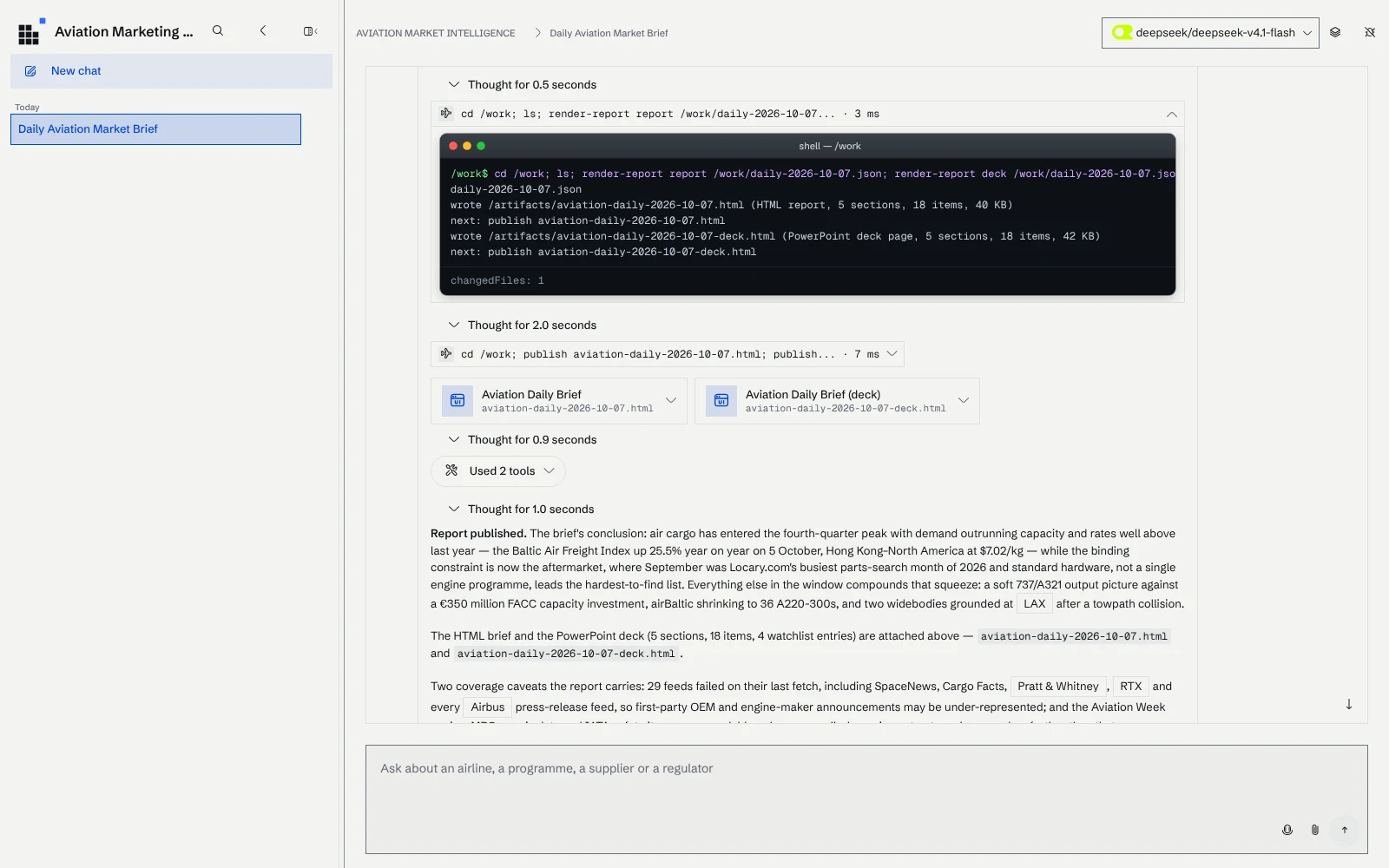
The finished brief opens beside the conversation. The reply summarizes the conclusion and says what the report could not cover: 29 feeds had failed on their last fetch, SpaceNews and the Airbus press-release feeds among them, so first-party announcements from those publishers may be missing, and three Aviation Week items were only readable as paywalled opening paragraphs.
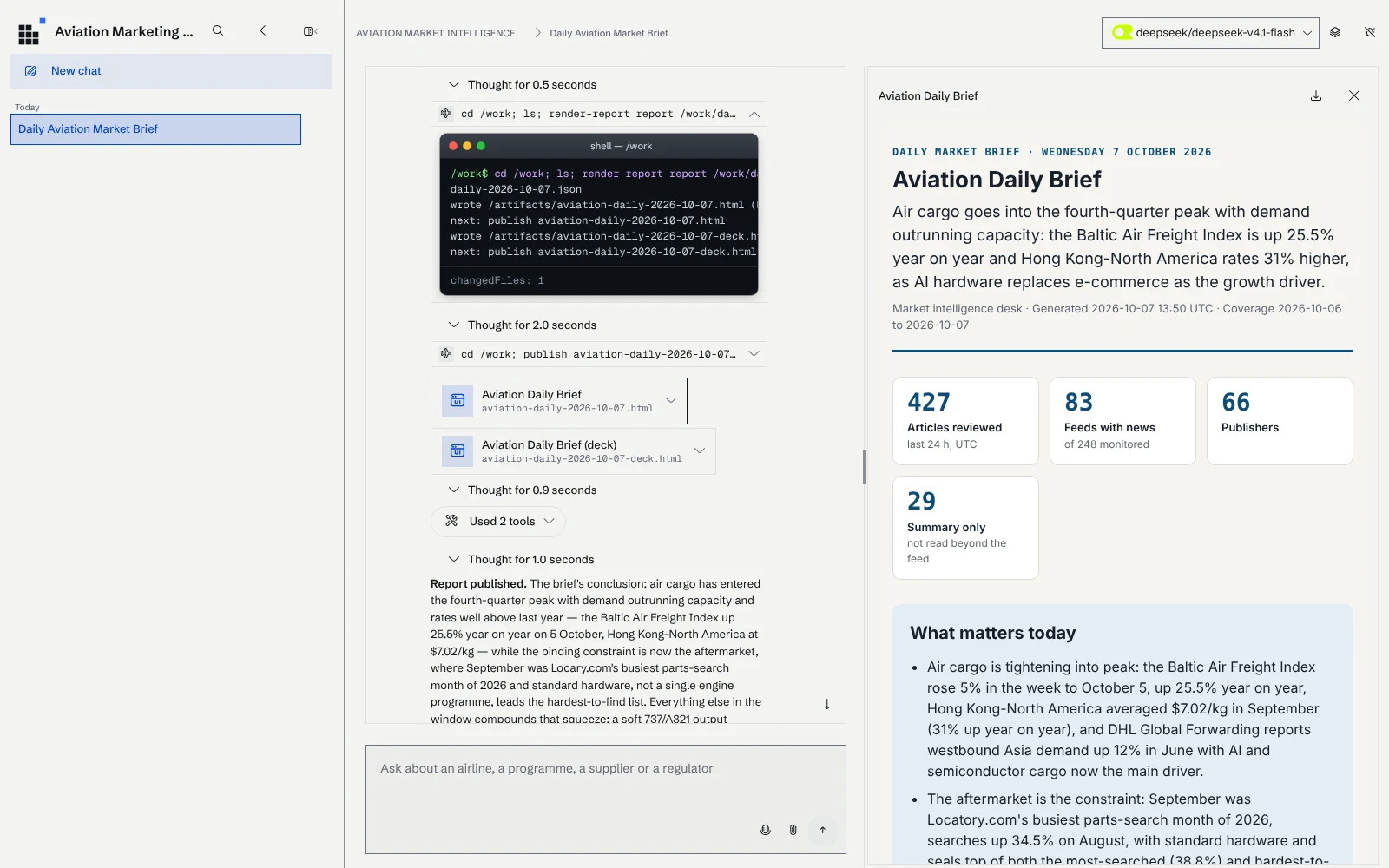
The brief itself, as the workspace published it, leads with air cargo going into the fourth-quarter peak and has five sections: safety and regulation, airlines, cargo and logistics, manufacturers and supply chain, and defense and space. Each item links to its source article.
You can also open the brief on its own page.
Nobody edited it before it went into this post. That is also its limit: it is a first draft from what 219 working feeds said in one day, and the coverage notes tell an analyst what to check before it goes any further.
Next: hourly feed fetches from inside the workspace
Today the connector runs on a machine next to the workspace, because reading the news well takes a browser. The next step is to run it inside the workspace itself, as a scheduled data connector imported with the rest of the configuration, so a hosted workspace keeps its corpus current with nothing else to run.
We tried it. Without a browser the connector can only read pages with a plain request, and a first run from the server showed what that costs: 219 of the 248 feeds answered, against 234 for the browser-based run. 19 refused the request with HTTP 403 and 10 returned a bot-check page instead of the feed. Pages that only render their text with JavaScript fall back to the feed's summary. So this stays a future improvement until the agents get web browsing, which is the same capability an in-workspace connector needs.
What it took: five hours, one template, three human jobs
| Measure | Result |
|---|---|
| First build | about 5 hours of commits, 21:56 to 02:43 UTC |
| Deployment to a hosted workspace | about 1 hour |
| Feeds / articles in 14 days | 248 / 1,524 |
| Entities spotted from | 5,354 vocabulary entries |
| Daily brief | 11 minutes, 35 sandbox calls, 5 sections, 18 items |
| Model writing the reports | deepseek-v4.1-flash |
The agent started from our application template: a
CLAUDE.md
with ten non-negotiables (never write a field name as a string, every metric is computed live,
the connector writes only what the source states), and one skill per layer (connector, graph
model, workspace configuration, endpoints, AI tools, front end, delivery), each pointing at a
commented reference implementation. Both are
in the repository.
Most of the evening went into the parts specific to aviation news, the extraction and the
vocabularies, because the rest had a worked example to adapt. When the agent verified something
the skills did not cover, such as which libraries workspace code may import, it wrote it back
into the skill for the next project.
Three things still needed a person. The feed directory was curated by an analyst. The vocabularies needed judgment about what counts as a match, and still do: "Viper" the engine still matches "Viper Shield". And the reports need someone to read them before they go to a customer, which is why every item carries its source.
The pattern carries over to any question answered by reading a lot of documents every day: a curated list of sources, a connector that writes only what they state, entities the workspace finds on its own, and an agent that works through a sandbox shaped like the job. The repository has all of it, including the guide to running it against your own workspace.
Referenced by
Read next
Articles on context graphs, enterprise search and industrial AI