
Meet Echo: an assistant that reads your mail, chat and calendar as you, and asks before it changes anything
 Rafael
Most of what people ask at work is about their own week. What did Lena say about the liability cap? When do we talk to Nordwind next? Which of my Jira issues are still open? The answers are spread across a mailbox, a Slack channel, a drive, a calendar and a project board, and the person asking already has access to all of them. They just do not want to open five apps to find out.
Echo is the assistant for those questions. He is the new default assistant in Curiosity Studio, the one every person in a workspace talks to, and he works from that person's own data: their emails, chat messages, files, calendar, issues, tickets, contacts and notes. He can also act on what he finds. He drafts a reply, answers an invitation, sets up a meeting, writes a note, stars an issue or adds a file to a space. Each of those is shown to you first, on a card in the chat, and nothing happens until you approve it.
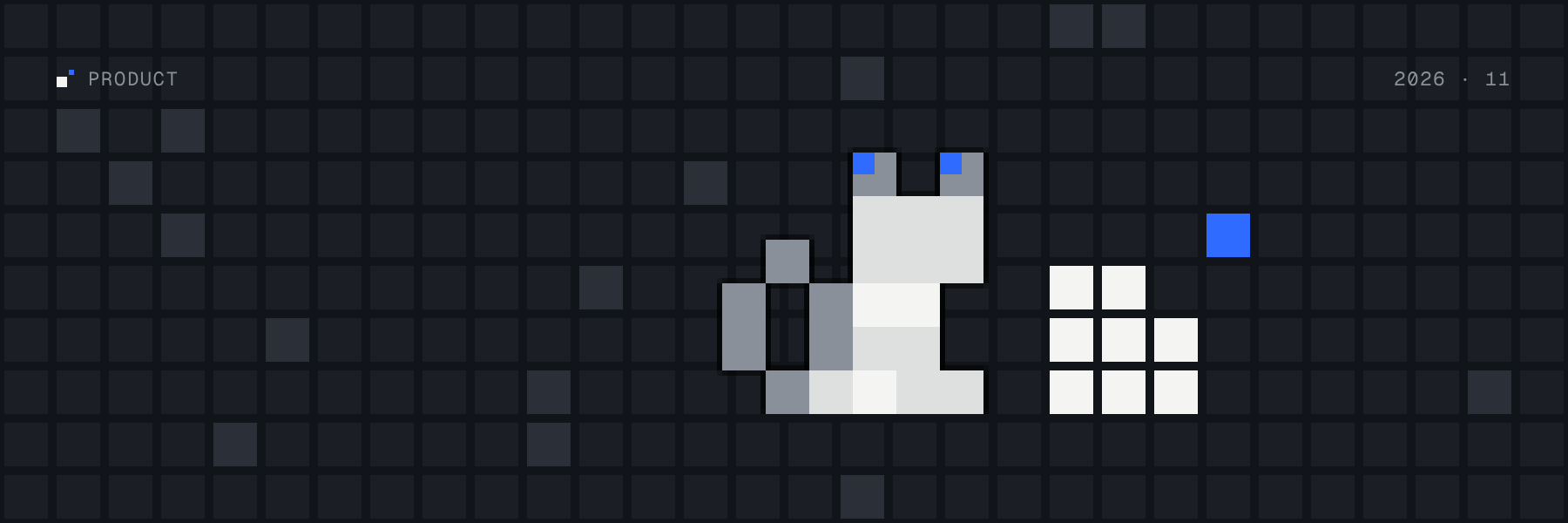
He also has a face. Echo is a pale grey pixel cat on a light blue badge, the counterpart of Sudo, our admin assistant, who wears the same cat in dark navy. Sudo changes the workspace. Echo works with your part of it.
Your data, as files, read as you
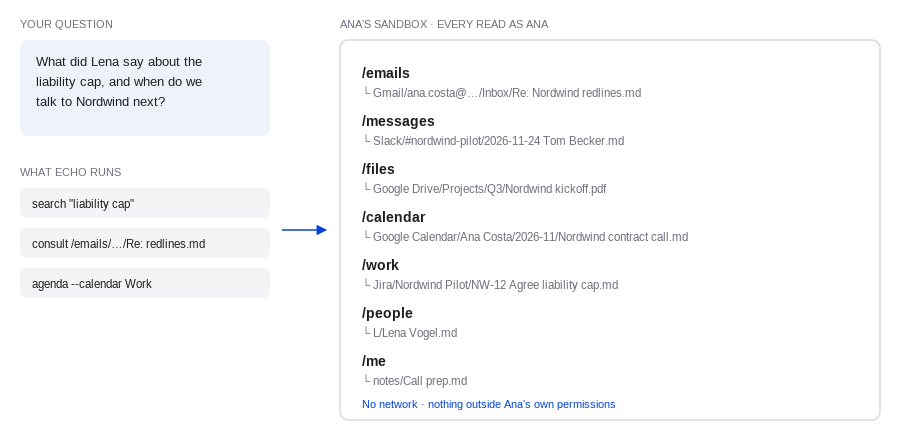
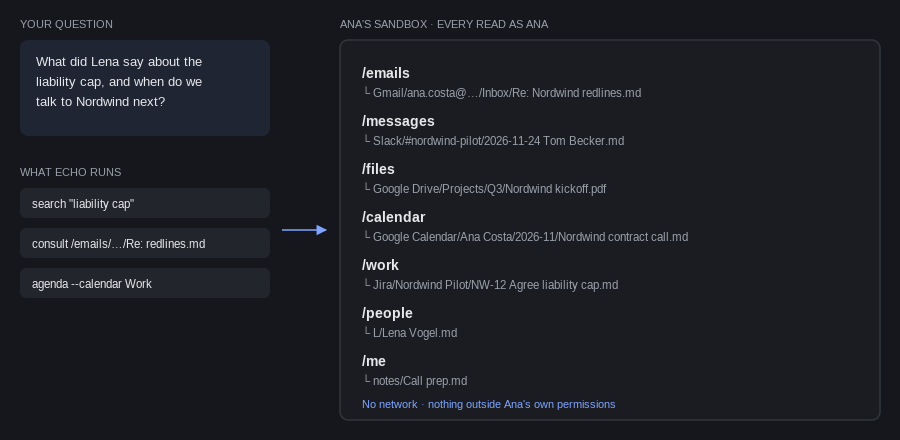
When you ask Echo something, he does what a careful colleague would: he looks. Your data is laid out for him as a set of folders, one per kind of thing. Emails are under each mailbox and its folders, Slack and Teams messages under each channel, with the replies of a thread under the message they answer. Files are in the folders they were synced from. Then come your calendar by month, your Jira and GitHub issues and help-desk tickets, the people you work with, and your own notes, favorites and spaces. Every item is a short page of text he can search, open and read in full.
Two things about those folders matter more than their layout. They are built for you, so they hold only what your integrations synced and what your permissions let you open. If you could not see a file in Curiosity, Echo cannot see it either. This is the permission-aware retrieval we have argued for since the start: an assistant should answer from the view the person asking already has. And they live in the same sandbox as Sudo's, described in One sandbox harness: commands run inside Studio, with no network and no access to the server's disk.
Echo searches with the same filters you have on the search page (type, source, time, person), so "emails from Lena last week" is one search, not a guess. When a document is long, he reads into it instead of skimming its first page.
Ask him from the home page
The home page now has one box for everyone. Type a question and press Enter to search, or type
@Echo, pick him, and ask. The question opens a chat with Echo, and the work he does to answer it (the searches he ran,
the items he read) is shown above his reply.
Echo is also the assistant a new chat starts with, and he sits on top of the preview of any item you open: click him for the AI commands on that item.
He proposes, you decide
An assistant that reads your mail can also be steered by your mail. In January, Simon Willison wrote up a case in which a prompt injection in one untrusted email made an AI email assistant send the content of dozens of other emails to an attacker's form. Anyone can write to you, so anything an assistant reads in your inbox has to be treated as written by a stranger.
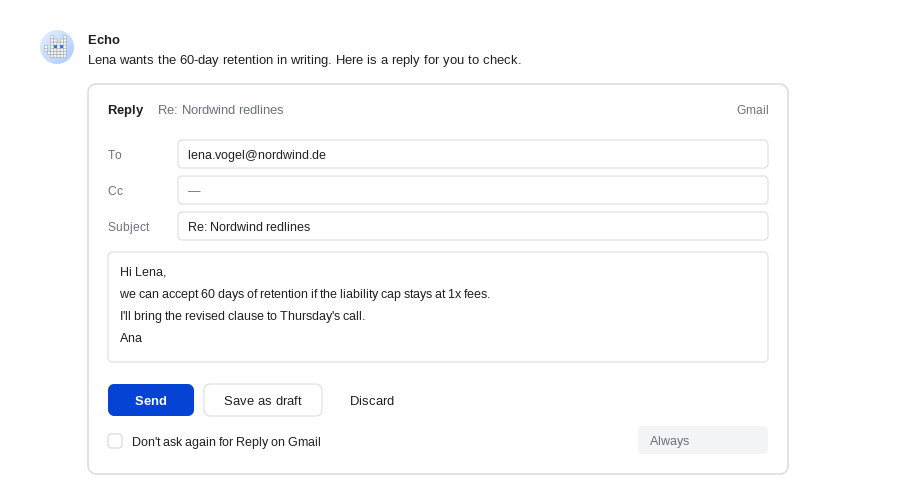
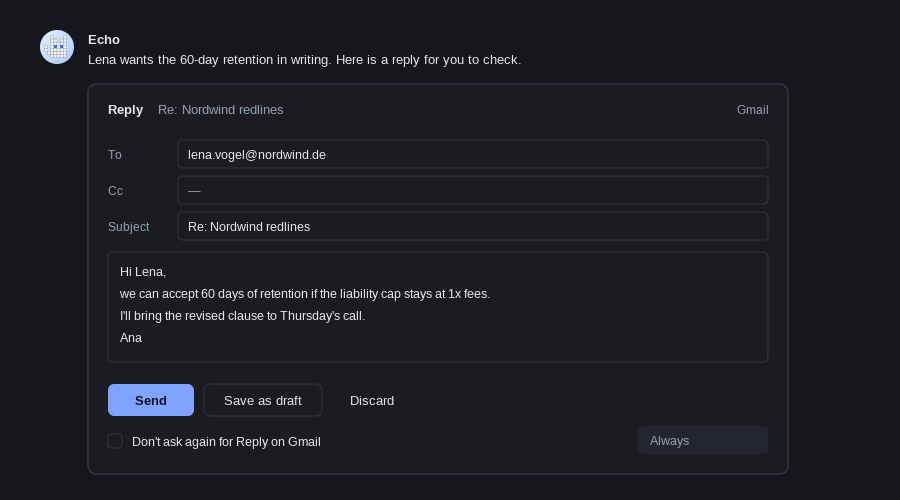
So Echo does not change anything by himself. When he wants to reply, forward, archive, move a mail, answer an invitation, create or move an event, write a note, add a favorite or file something in a space, he proposes it. You see a card in the chat that says exactly what will happen and where, with Approve and Discard. An email card shows the recipients, the subject and the body, and you can edit all of them before you press Send or Save as draft. An email never leaves without that press.
Echo also refuses up front what could only fail later. He will not propose an email from a mailbox you have not connected, an event in a calendar none of your apps syncs, or a change to a meeting someone else organizes. These are the same checks Curiosity makes when you do the same thing by hand.
Asking less often
Approval has a known weakness. In his Dual LLM pattern post, Willison writes that "the best current defense we have for this is to gate any such actions on human approval", and then warns that people faced with a stream of dialogs end up clicking OK on everything.
Echo's answer is to let you decide, per command and per source, what he may stop asking about. Every card has a Don't ask again box: "Don't ask again for Add to favorites on Jira", for always or for the next 1, 4, 8 or 24 hours. After that, he favorites Jira issues without a card, and the chat still shows what he did. For email the allowance covers less on purpose: Echo may then save drafts without asking, and sending still waits for you. Everything you allowed is listed under Preferences → AI Assistant, where you can take it back.
The result is a short list of things you trust him with, chosen by you, instead of a dialog for every star and a habit of clicking through them.
What your workspace turns on
Echo follows the workspace's settings. If your administrators switch off the inbox, the calendar, contacts, notes or spaces, Echo loses the matching folders and commands, and mail stops showing up in his searches. Administrators can edit his instructions, tools and skills like those of any other assistant. His name and picture stay the same everywhere, so people always know who they are talking to.
Administrators also see @Sudo in the home page box. Asking him from there opens Sudo's page
with the question, for anything about the workspace itself rather than your own data.
Try it
Echo ships with the next release of Curiosity Studio. Open the home page, type @Echo and ask
about your week. The Echo documentation
lists everything he can read, every command and how approvals work.
Further reading
- Superhuman AI exfiltrates emails, Simon Willison. A short account of how one injected email made an assistant leak dozens of others, and why an assistant that reads mail must not act on it unchecked.
- The Dual LLM pattern for building AI assistants that can resist prompt injection, Simon Willison. The case for gating sends and deletes on human approval, and an honest note on why approval dialogs wear people down.
- One sandbox harness for Sudo, the graph assistant, and the assistants you build. The sandbox Echo runs in, shared with Sudo.
Read next
Articles on context graphs, enterprise search and industrial AI