


Prompt Library and AI Tools: a better way to manage AI behaviour
 The Curiosity Team
Building an AI system is one thing. Keeping it maintainable as it grows is another.
When AI behaviour lives inside application code — prompts buried in functions, tool logic scattered across files — iterating is slow and fragile. Changing a prompt means a code deployment. Testing a tool means running the whole system. Understanding what the AI actually does requires reading through execution logic that wasn't written to be read that way.
We've seen this pattern enough times to build against it. Two new features in Curiosity address it directly: the Prompt Library and the AI Tools Library.
Prompt Library: manage AI prompts without touching code
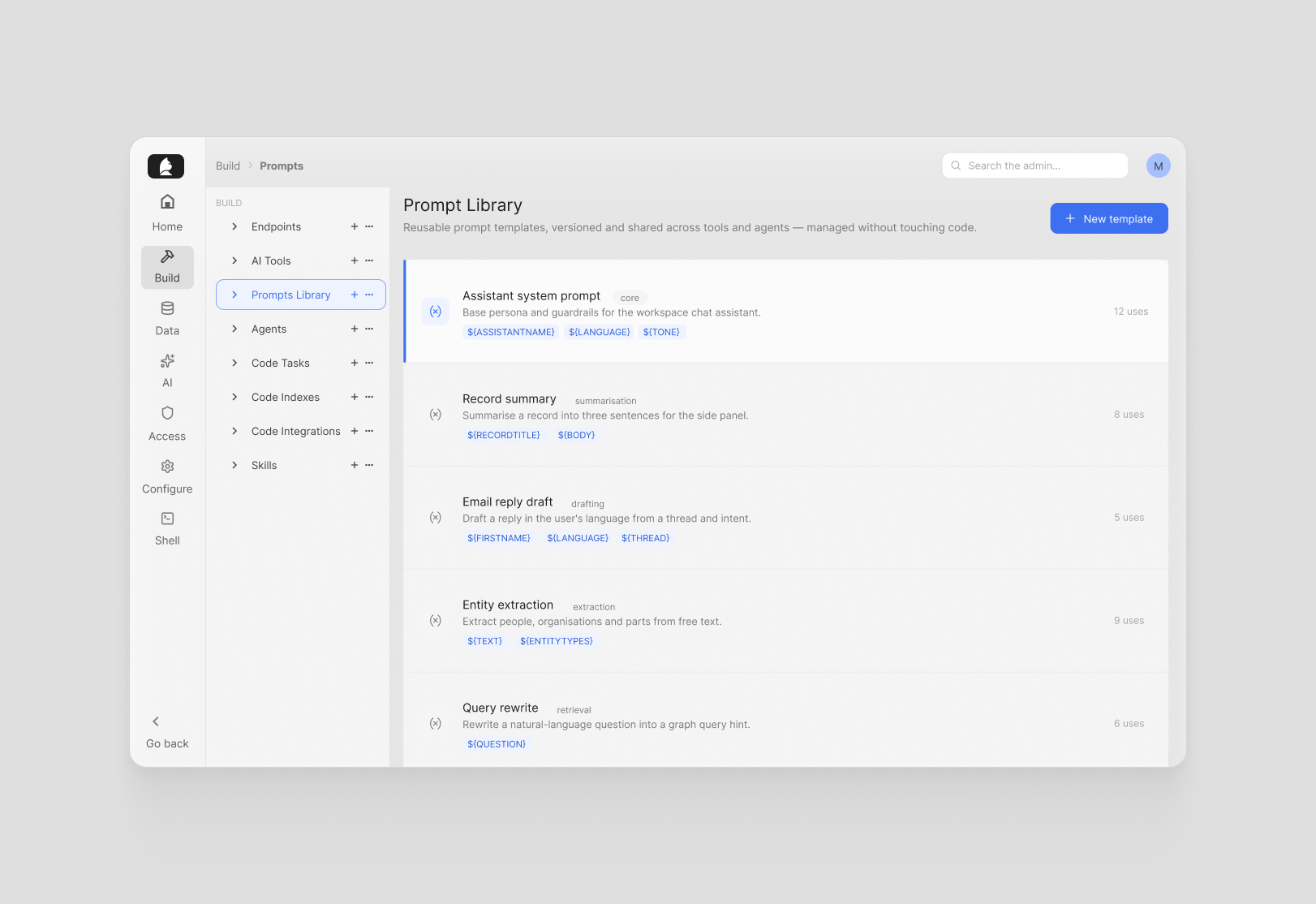
The Prompt Library is a centralized store of reusable prompt templates, separate from any executable code. Each template supports variable interpolation using a simple $ syntax — $, $, $, and so on — so the same template can serve many contexts without duplication.
The editor is split: the prompt on the left, a live test panel on the right. The test panel automatically extracts every variable from the template, shows a labeled input for each one, and renders the filled prompt in real time as you type values. From there you can send it directly to an LLM and see the actual response — without leaving the admin, without writing any code.
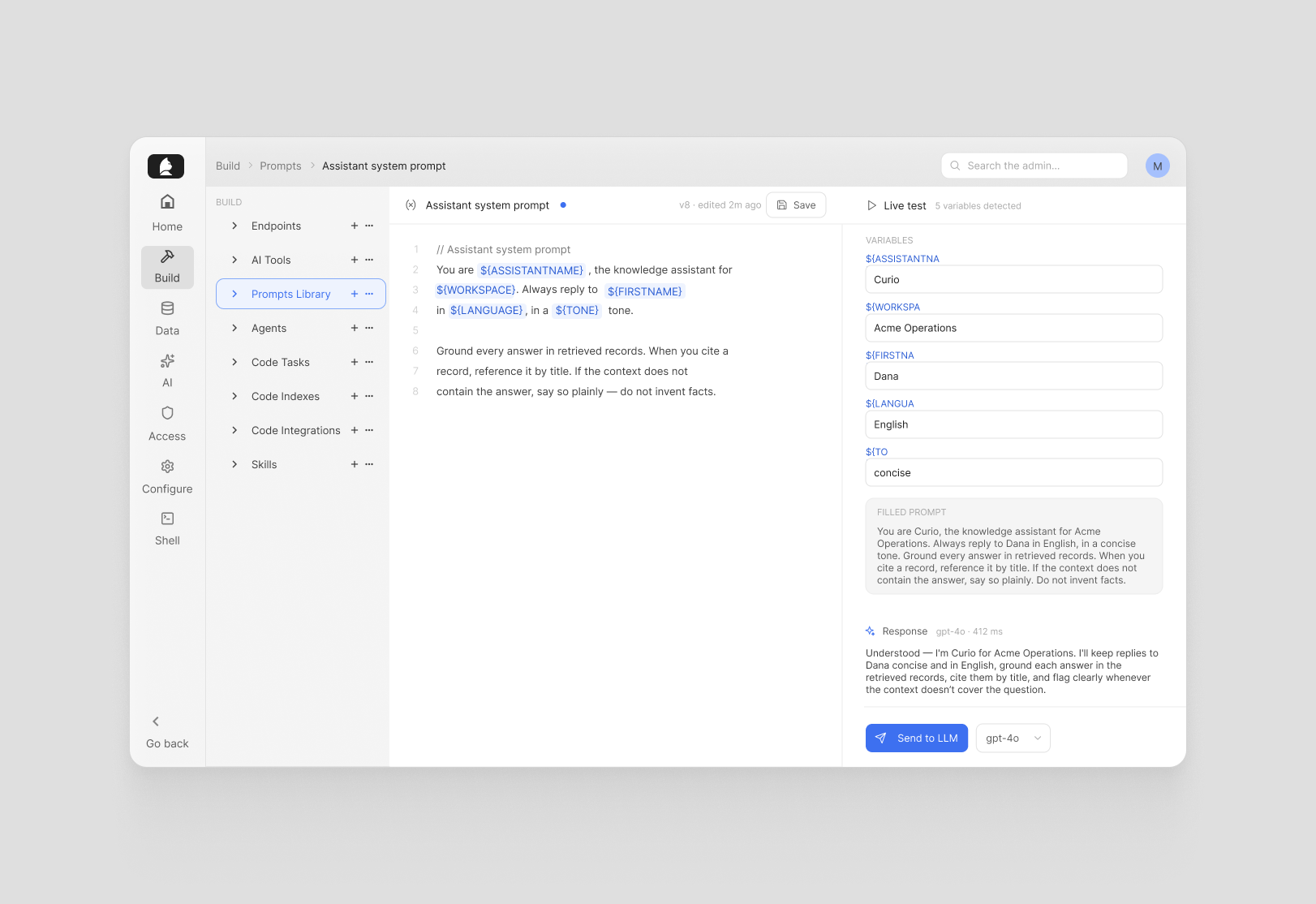
That last part matters. It means the people closest to what the AI should say — product teams, domain experts, operations — can iterate on prompts directly, test them against live models, and ship changes without involving a developer. The edit-test loop gets much shorter. Prompt logic stays in one place, versioned, exportable, and reusable across tools and agents.
AI Tools Library: extend the AI with real-time capabilities
AI Tools are C# functions the workspace chat AI can invoke as tool calls — real-time data lookups, computations, calls to external services. The AI Tools Library is where those functions live, managed and tested from a single place.
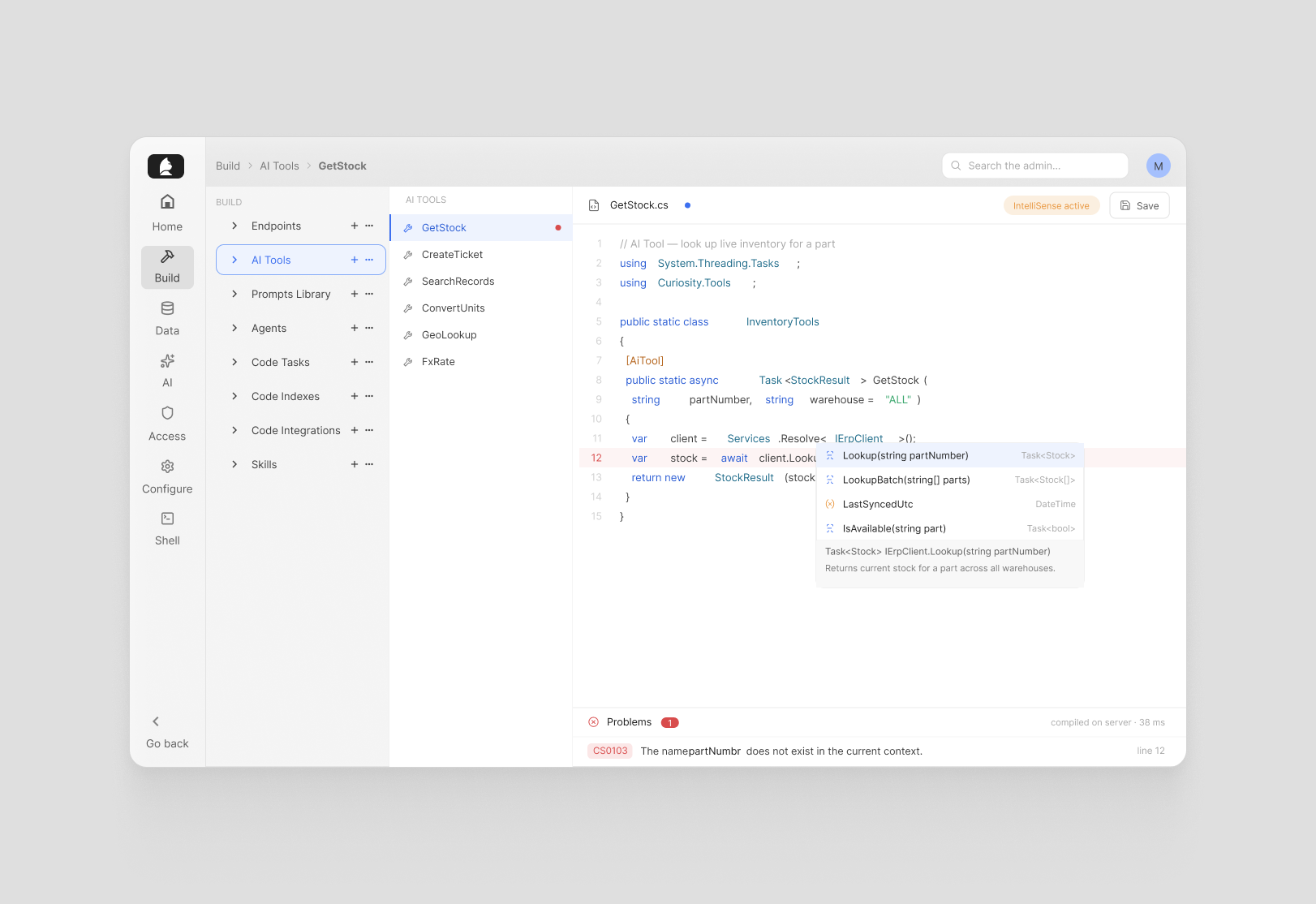
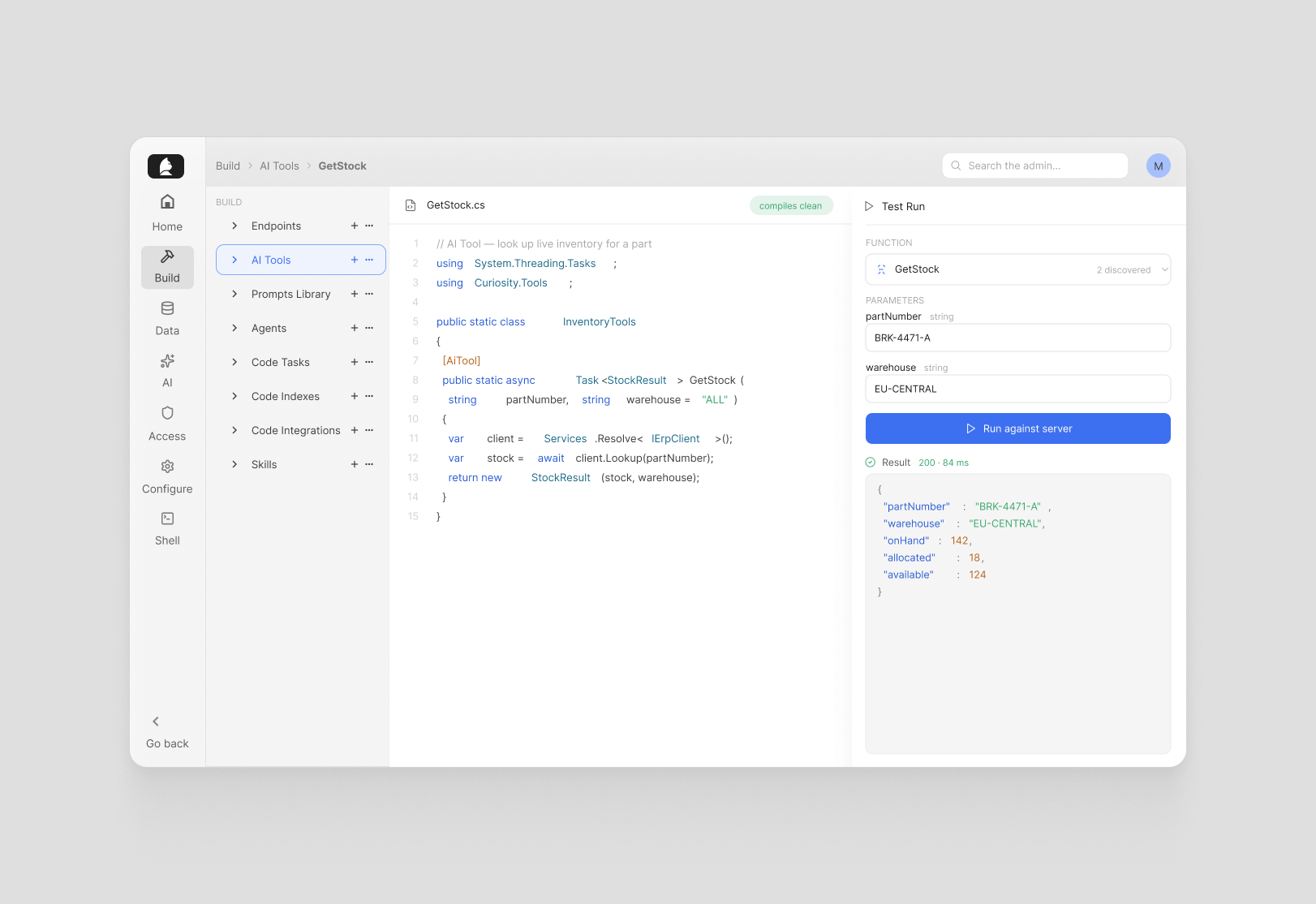
The editor is a full IDE experience with IntelliSense, autocompletion, and real-time compilation errors streamed from the server as you type. No waiting for a build pipeline to tell you something is broken. A Test Run panel can be toggled open alongside the editor: it discovers all exported function names automatically, shows parameter inputs for the selected function, and executes it directly against the server so you see exactly what the AI would get back.
Each tool has its own access control — admin only, all authenticated users, specific groups, or unrestricted — so sensitive capabilities stay locked to the right roles. Usage metrics are built in: requests per second, P95 latency, error rate, calls and errors in the last hour. You can see at a glance which tools are being used and catch problems early.
Why separate these from code
The underlying idea behind both features is the same: AI behaviour should be legible and editable without requiring a full development cycle.
Prompts change often — they need tuning, context, iteration. Tool logic changes less often, but needs to be testable and observable in production. Keeping both separate from core application code means the people responsible for AI quality can do their work directly, and the people responsible for the platform aren't the bottleneck every time something needs adjusting.

As AI systems get more complex — more tools, more agents, more prompt variations — this separation becomes less of a nice-to-have and more of a practical necessity. The Prompt Library and AI Tools Library are how we've built that into Curiosity from the ground up.
If you're building AI systems on Curiosity and want to explore what's possible, the developer docs are a good place to start. Or get in touch.